BAORULER Support Center
Find app downloads, manuals, quick start guides, video tutorials, FAQs and support resources for your BAORULER device.
Download the BAORULER app and connect your device.
02 User ManualView setup, operation and safety instructions.
03 Quick Start GuideComplete your first measurement in a few steps.
04 Video TutorialsWatch setup and measurement workflow videos.
05 FAQFind answers to common product and app questions.
06 Contact SupportSend us your order, app or product support question.
App Download
Download the BAORULER app to connect your device, save measurements, view project data, and export results.
Download the app for iPhone. Search "BAORULER" on the App Store to install and connect your device.
Scan the QR code below with your Android device to download the app directly.
User Manual
View or download the full BAORULER user manual for setup, device operation, app connection, measurement modes and safety instructions.
FAQ
Frequently Asked Questions
Find answers by category. Open a topic first, then expand the question you need.
Product Basics
3
What BAORULER is, who it is for, and what it can measure.
Product Basics
3What BAORULER is, who it is for, and what it can measure.
What is BAORULER?
BAORULER is a motion-based measuring tool designed for outdoor measurement workflows. It helps users measure distance, area, perimeter and layout data by walking along the target boundary.
What can BAORULER measure?
BAORULER can be used to measure outdoor distance, area, perimeter and irregular layouts for landscaping, construction, garden planning, outdoor facilities and project documentation.
Who is BAORULER suitable for?
BAORULER is suitable for landscapers, contractors, builders, outdoor project teams, property managers, garden designers and users who need faster field measurement.
App & Connection
4
App download, Bluetooth pairing and connection troubleshooting.
App & Connection
4App download, Bluetooth pairing and connection troubleshooting.
Does BAORULER need to connect to an app?
Yes. BAORULER works with the mobile app to start measurement, view real-time data, save project records and export measurement results.
How do I connect BAORULER to my phone?
Download the BAORULER app, turn on the device, enable Bluetooth on your phone, then follow the app instructions to pair the device.
What should I do if the app cannot connect?
Please check whether Bluetooth is enabled, the device is powered on, and the app has Bluetooth/location permissions. If the issue continues, restart the app and device, then try pairing again.
Is the app available for iOS and Android?
BAORULER supports mobile app connection. Please visit the App Download section to get the latest iOS or Android version.
Measurement & Accuracy
4
Measurement logic, accuracy tips and irregular area workflows.
Measurement & Accuracy
4Measurement logic, accuracy tips and irregular area workflows.
Does BAORULER require GPS?
No. BAORULER is designed to support motion-based measurement and does not rely on GPS signal for basic measuring workflows.
How can I improve measurement accuracy?
For better results, keep a steady walking speed, follow the target boundary clearly, avoid sudden turns, and make sure the device is placed or held steadily during measurement.
Can BAORULER measure irregular areas?
Yes. BAORULER is especially useful for irregular outdoor spaces where tape measures or measuring wheels are less efficient. Walk along the boundary to capture the shape and generate usable measurement data.
Why are my measurement results different each time?
Small differences may occur due to walking speed, device placement, boundary path, ground conditions or operation method. Please follow the Quick Start Guide and accuracy tutorial before comparing results again.
Data Export
3
Exported data, CAD/PDF workflows and project documentation.
Data Export
3Exported data, CAD/PDF workflows and project documentation.
Can I export measurement data?
Yes. BAORULER supports data export for project review, layout planning, documentation and CAD/PDF workflows.
What file formats does BAORULER support?
BAORULER supports export options for common project documentation and design workflows. Please check the app export menu for currently available formats.
Can the exported data be used for CAD?
Yes. BAORULER measurement data can support CAD-related workflows, helping users reduce manual redrawing and organize layout data more efficiently.
Usage Scenarios
3
Landscaping, construction and outdoor project use cases.
Usage Scenarios
3Landscaping, construction and outdoor project use cases.
Can BAORULER be used for landscaping projects?
Yes. BAORULER is suitable for lawns, gardens, patios, outdoor layouts, planting areas and irregular landscape boundaries.
Can contractors use BAORULER on construction sites?
Yes. BAORULER can help contractors and field teams capture site measurement data faster for planning, quoting and project documentation.
Can BAORULER replace a tape measure or measuring wheel?
BAORULER is designed for outdoor and irregular-area measurement where manual tools can be slow or inconvenient. For small indoor details or very short straight-line measurements, traditional tools may still be useful.
Setup & Accessories
3
Package contents, auxiliary rod and accessory purchase questions.
Setup & Accessories
3Package contents, auxiliary rod and accessory purchase questions.
What is included in the package?
Please check the product page for the exact items included before placing your order.
Do I need the auxiliary rod?
The auxiliary rod can help improve handling comfort and measurement stability in certain outdoor scenarios. It is recommended for field users who measure frequently.
Can I buy accessories separately?
Yes. Available accessories can be purchased separately from the Products & Accessories section.
Orders, Shipping & Warranty
4
Bulk orders, dealer cooperation, shipping and warranty support.
Orders, Shipping & Warranty
4Bulk orders, dealer cooperation, shipping and warranty support.
Do you support bulk orders?
Yes. We support bulk orders for dealers, distributors, project teams and business customers. Please contact us for bulk pricing.
Do you offer dealer or distributor cooperation?
Yes. If you are interested in becoming a BAORULER dealer, please visit the Become a BAORULER Dealer page and submit your company information.
How long does shipping take?
Shipping time depends on your country, region and selected shipping method. Please refer to the shipping information shown at checkout or contact support for details.
What should I do if my product has a problem?
Please contact support with your order number, product model, issue description, and photos or videos showing the problem. Our support team will help you check the issue.
Support
3
Manual downloads, video tutorials and contacting support.
Support
3Manual downloads, video tutorials and contacting support.
Where can I download the user manual?
You can download the latest user manual from the User Manual section in the Support Center.
Where can I watch tutorials?
You can watch setup, app connection, first measurement, accuracy and advanced function tutorials in the Video Tutorials section.
How can I contact support?
You can contact us through the Contact Support form. Please include your name, email, order number, product model, issue type and message.
Still Need Help?
Can’t find the answer you need? Contact our support team for product setup, app connection, measurement workflow, order or dealer inquiries.
Quick Start Guide
New to BAORULER? Follow the quick start guide to complete your first measurement in just a few steps.
Install the BAORULER app and enable Bluetooth permissions.
Turn on the measuring tool and keep it steady before pairing.
Connect the device in the app and follow the boundary of the space.
Review area and perimeter data, then save records or export results.
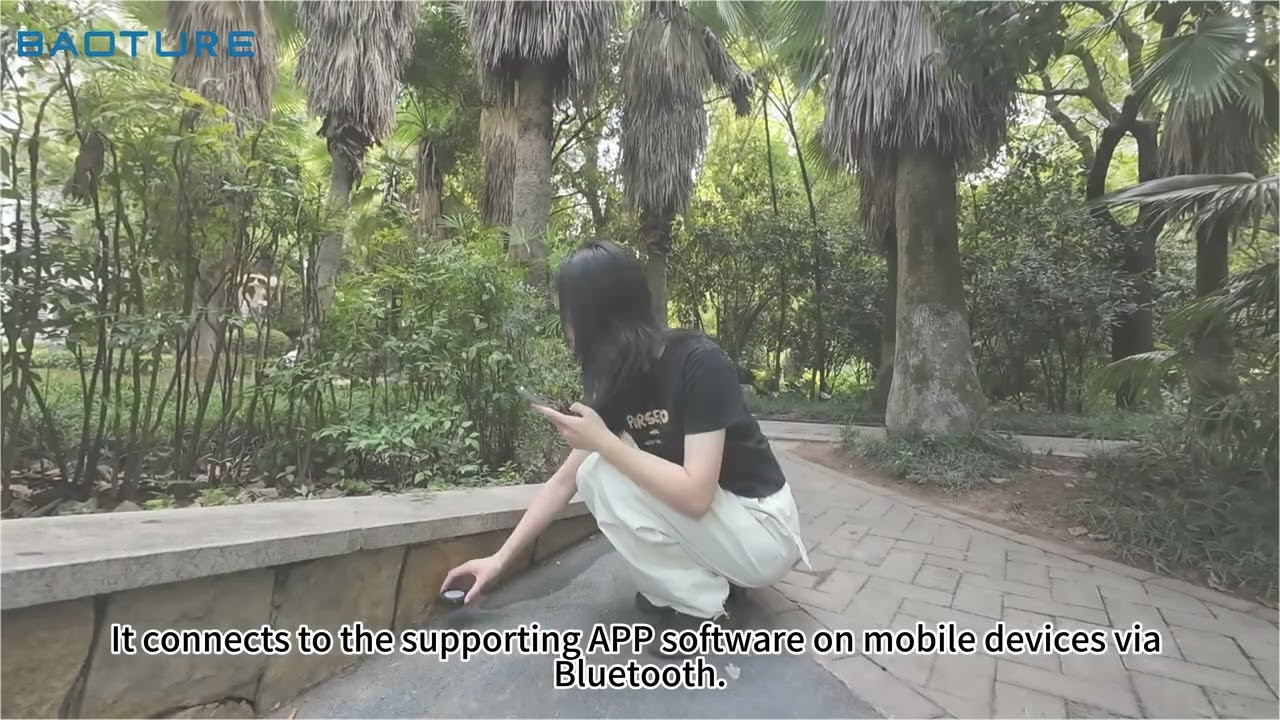
Video Tutorials
Watch step-by-step tutorials for setup, app connection, first measurement, auxiliary rod assembly, accuracy tips and advanced functions.
Contact Support
Need help with your BAORULER device, app connection, order, warranty or measurement workflow? Send us a message and our support team will assist you.